SIP Trunking Explained: A Beginner's Guide for Business
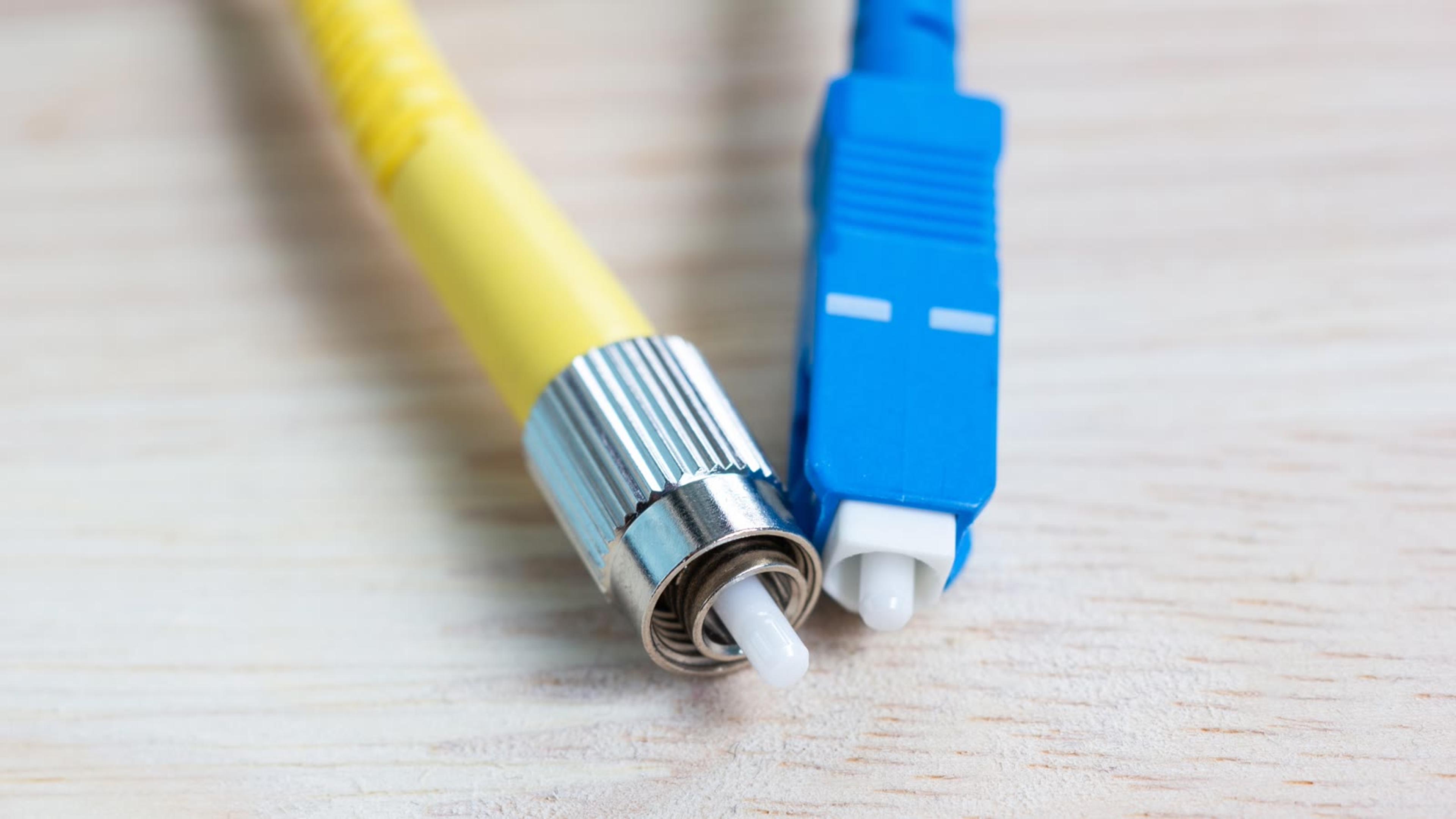
SIP Trunking Explained: A Beginner’s Guide for Business
If you are rolling out Voice over Internet Protocol (VoIP) in your organization, you will quickly run into a critical term: Session Initiation Protocol (SIP) trunking. Understanding how it works, what you really need, and how to buy it smartly can save you money and headaches. This article, *SIP trunking explained: a beginner's guide for business*, walks IT managers and business owners through the fundamentals, design decisions, and buying considerations so you can deploy reliable, scalable voice services over IP with confidence.
Before you sign any contracts, work through our SIP trunking IT checklist so you can validate that your phones, PBX, and firewall will work smoothly with your chosen provider.
What Is SIP Trunking?
SIP in simple terms
Session Initiation Protocol (SIP) is a signaling protocol used to establish, manage, and terminate real-time communication sessions over Internet Protocol (IP) networks. Those sessions can be:
- Voice calls
- Video calls
- Instant messaging
- Multimedia conferencing
SIP does not carry the voice itself—that is handled by Real-Time Transport Protocol (RTP). SIP is the “call setup and teardown” language that phones, softphones, and Private Branch Exchanges (PBXs) use to find each other and negotiate a session.
What is a “trunk”?
In traditional telephony, a “trunk” is a bundle of phone lines between your PBX and the telephone company. Primary Rate Interface (PRI) circuits or analog line bundles are classic examples.
A SIP trunk is the virtual, IP-based equivalent of those physical voice circuits. Instead of plugging a PRI into your PBX, you connect your IP-PBX or cloud PBX to a SIP trunk provider over the internet or a private IP link.
SIP trunking explained for business
When you buy SIP trunking, you are essentially purchasing:
- A pool of concurrent call capacity (simultaneous calls)
- Phone numbers, known as Direct Inward Dial (DID) numbers
- Connectivity between your IP telephony system and the Public Switched Telephone Network (PSTN)
- Optional features such as emergency calling, caller ID, and number porting
From your users’ perspective, it is just phone service. From an IT and business perspective, it is a flexible, software-centric way to deliver and scale voice communications.
How SIP Trunking Works (Without the Jargon)
The high-level call flow
At a very high level, a SIP trunk sits between your internal VoIP environment and the external world:
1. User dials a number
- From a desk phone, softphone, mobile app, or contact center application.
2. Your PBX creates a SIP INVITE
- This is a SIP message that says, “Start a call to this phone number from this user.”
3. SIP trunk provider routes the call
- The provider determines where that number “lives” (another SIP endpoint, a mobile network, a legacy carrier) and routes the call.
4. Media path is negotiated
- Your PBX and the remote endpoint agree on codec, encryption, and other parameters, then start sending voice packets via RTP.
5. Call ends
- SIP BYE messages tear down the session and release the trunk capacity.
The main components in a SIP trunking setup
In a typical business deployment, you will see:
- IP-PBX (Internet Protocol Private Branch Exchange): the phone system that handles extensions, call routing, and features
- SIP endpoints: desk phones, softphones, and mobile apps that place and receive calls
- SIP trunk provider (also called ITSP – Internet Telephony Service Provider): the company that connects your PBX to the PSTN
- Network edge devices: firewalls, routers, and session border controllers (SBCs) that sit between your network and the provider
SIP trunk vs. traditional phone lines
Here is a quick comparison:
- Traditional PRI / analog: fixed physical circuits, capacity added in hardware steps, and numbers tied to a location
- SIP trunking: virtual capacity over IP, scaled by configuration, with numbers not tied to one site
For most modern businesses and IT managers, SIP trunking is the natural choice when deploying or upgrading VoIP infrastructure.
Key Benefits of SIP Trunking for Business
Understanding the benefits helps you justify the move from legacy telephony to SIP trunking in business terms, not just technical ones.
1. Cost savings
SIP trunking can reduce telephony spend compared to traditional circuits, though the savings depend on your current contracts and call mix. Savings come from:
- Lower call rates: calls between sites and to the provider network can cost less than on legacy circuits
- No separate voice circuits: voice shares your data connection instead of needing dedicated lines
- Right-sized capacity: you pay for the call capacity you actually need
2. Scalability and flexibility
With SIP, adding capacity is mostly a configuration exercise:
- Spin up or down concurrent call capacity quickly
- Add new DIDs instantly for new hires, departments, or locations
- Support remote workers and branch offices without separate circuits
This flexibility is particularly important for:
- Seasonal businesses
- Rapidly growing or downsizing organizations
- Companies with frequent office moves or new sites
3. Unified communications and integrations
SIP trunking provides the telephony backbone for:
- Unified Communications as a Service (UCaaS)
- Contact center platforms
- Collaboration tools (often via direct routing or certified SBCs)
- Integration with Customer Relationship Management (CRM) tools and business apps
Because SIP is standards-based, you have more options for integration compared to proprietary PBX solutions.
4. Business continuity and resilience
Many SIP trunking providers offer:
- Routing calls to an alternate destination if a site is unreachable
- Call rerouting if your primary PBX or site is down
- Overflow to backup locations or mobile numbers
With the right design, your phone service can keep functioning even during:
- Local internet outages
- Power failures at one office
- PBX hardware failures
5. Geographic independence
SIP trunking decouples phone numbers from physical lines:
- Present local numbers in markets where you have no office
- Centralize telephony while maintaining local presence
- Support remote and hybrid workers with office-like calling experience
Is SIP Trunking Right for Your Business?
Before you jump in, step back and ask whether SIP trunking fits your situation.
When SIP trunking is a strong fit
SIP trunking is usually ideal if:
- You have, or plan to deploy, an IP-PBX or cloud PBX
- You want to consolidate multiple legacy phone circuits
- You need to support multiple locations and remote workers
- You expect growth, seasonal peaks, or headcount changes
- You want better integration between telephony and IT systems
When SIP trunking may not be a priority yet
SIP trunking might not be urgent if:
- You are locked into a long-term contract for PRI or analog lines
- Your sites have very poor or unreliable internet connectivity
- You have a very small office with just a few analog lines and no plans to grow
However, even in these cases, it is often worth planning ahead:
- Evaluate your contract end dates
- Assess internet upgrades
- Start aligning your PBX roadmap with SIP trunking support
Core Concepts You Need to Understand
Before you design or buy anything, get familiar with a few key SIP trunking concepts.
Concurrent calls vs. phone numbers
Two different capacity dimensions matter:
- Concurrent call paths (channels): how many calls can be active at the same time
- DID numbers: the phone numbers people dial to reach users, teams, or sites
There is no universal ratio of users to call paths. Size from your own call data and call patterns rather than a fixed rule of thumb.
Codecs
A codec (coder-decoder) compresses and decompresses audio. Common VoIP codecs include:
- G.711: uncompressed audio with high quality and higher bandwidth use
- G.729: compressed audio that uses less bandwidth, at some cost to quality
- Opus: a modern adaptive codec that adjusts to network conditions
Your SIP trunk provider will support specific codecs. Align them with your PBX and endpoints for best quality and efficiency.
SIP registration vs. IP authentication
There are two common ways your PBX connects to a SIP trunk:
- SIP registration: your PBX logs in to the provider with a username and password
- IP authentication: the provider trusts traffic from your fixed public IP address
Your provider and PBX both need to support the chosen method.
Inbound vs. outbound routing
- Outbound (origination): calls from your users out to external numbers
- Inbound (termination): calls from external callers in to your numbers
Understanding your inbound/outbound mix helps you pick the right pricing model.
SIP Trunking Architecture Options
When planning SIP trunking for business, you have several architectural choices.
On-premises IP-PBX with SIP trunks
In this model:
- Your PBX runs on-site (or in a data center you manage)
- You connect it to a SIP trunk provider over the internet or private IP
Pros:
- Full control over call routing, features, and integrations
- Easier to integrate with legacy analog devices via gateways
- Can optimize for complex call flows and compliance needs
Cons:
- You manage hardware, software, upgrades, and security
- Requires in-house VoIP and networking expertise
Cloud PBX / Hosted PBX with SIP trunking
Here:
- Your PBX is cloud-based (hosted by a provider or in your own cloud)
- The SIP trunk is either: bundled by the cloud PBX provider, or brought by you from a separate SIP trunk provider
Pros:
- Less infrastructure on-site
- Provider manages upgrades and core maintenance
- Easy to support distributed and remote workers
Cons:
- Potentially less granular control (depending on provider)
- Must carefully evaluate quality and reliability of provider’s network
- Integration with on-prem systems may require additional components
Hybrid deployments
Many organizations end up with a hybrid architecture:
- On-prem PBX at large sites
- Cloud PBX for remote workers or small offices
- SIP trunks connecting both worlds and the PSTN
A well-designed hybrid approach can ease migration from legacy systems while leveraging the flexibility of SIP trunking.
If you are choosing a PBX to pair with your SIP trunks, SessionPBX can be hosted by SessionTalk or self-hosted on your own servers as a multi-tenant PBX.
Planning Your SIP Trunking Deployment
A careful planning phase will prevent many future issues.
1. Assess your current environment
Document:
- Existing PBX types and versions
- Current phone numbers and carriers
- Call volumes and patterns: peak concurrent calls, busy hours, and inbound versus outbound mix
- Current WAN and internet connectivity: bandwidth, link types, and any existing QoS
2. Define business and technical requirements
From a business perspective:
- Required availability targets and the SLA terms you need
- Regulatory requirements (e.g., call recording, emergency calling)
- Geographic coverage (countries and regions you call and receive calls from)
- Budget constraints and payback period expectations
From a technical perspective:
- Supported SIP features on your PBX and phones
- Codec preferences
- Security requirements (encryption, SBCs, segmentation)
- Integration requirements (CRM, helpdesk tools, collaboration platforms)
3. Sizing your SIP trunk
To estimate how many concurrent call paths you need:
1. Identify total number of users and high-call-volume groups
2. Evaluate historical call data (if available) for:
- Busy hour call attempts
- Maximum concurrent calls
3. Add headroom above your observed peak:
- Office users share call paths more than contact center agents, who are on calls most of the time
It is often cheaper and safer to slightly overprovision call paths than to risk busy signals during peak times.
4. Network and bandwidth planning
SIP trunking quality depends heavily on network design.
Bandwidth calculations
A rough bandwidth estimate per call:
- G.711: about 87.2 kbps per call on Ethernet, including IP/UDP/RTP and Ethernet headers, each direction (Cisco)
- G.729: about 31.2 kbps per call on Ethernet, each direction (Cisco)
Multiply by expected maximum concurrent calls and add headroom for overhead and growth.
Quality of Service (QoS)
Implement QoS to prioritize voice traffic:
- Mark voice packets with appropriate Differentiated Services Code Point (DSCP) values
- Configure routers and switches to: honour DSCP markings and place voice traffic in a priority queue
Redundancy
Consider:
- Dual internet connections or SD-WAN for critical sites
- Redundant routers/firewalls
- Redundant SBCs for larger deployments
- Multiple SIP trunk providers for carrier redundancy

Security Considerations for SIP Trunking
SIP and RTP run over your data network, which means voice is now part of your cybersecurity scope.
Common threats
- Toll fraud: attackers using your trunk to place expensive calls
- Denial of Service (DoS) attacks: floods of traffic that disrupt call handling
- Eavesdropping: intercepting unencrypted calls
- Registration hijacking: hijacking extension credentials to impersonate users
Best practices to secure SIP trunking
- Use a Session Border Controller (SBC): it protects the network edge and handles NAT traversal
- Encrypt signaling and media where possible: use TLS for signaling and SRTP for media
- Lock down access: restrict SIP access to trusted IPs and use strong credentials
- Implement call restrictions: block destinations you never call and set spending alerts
- Segment your network: keep voice traffic on its own VLAN
- Maintain patching and monitoring: keep PBX and phone firmware up to date and watch for unusual call patterns
SIP Trunking and Emergency Calling (E911)
Emergency calling is critical and must not be an afterthought.
How Enhanced 911 (E911) works with SIP
Enhanced 911 (E911) ensures:
- Emergency calls route to the appropriate Public Safety Answering Point (PSAP)
- The caller’s location is available to dispatchers
With SIP trunking:
- Your provider needs accurate address information for each location
- Multi-site and multi-floor environments may require granular location mapping
- Nomadic users (softphones, remote workers) are more complex and may need self-provisioned addresses
What you should verify with your provider
- Support for E911 for all your regions
- How they handle: remote and nomadic users, multi-site locations, and callback numbers
- How address changes are submitted and how quickly they take effect
- How E911 testing is performed safely (without triggering real emergency response)
Make sure your internal policies and end-user training cover how and where to place emergency calls, especially for remote users.
How to Choose a SIP Trunk Provider
Selecting the right provider is as important as designing the right architecture.
1. Coverage and number services
Check:
- Countries and regions supported for: inbound numbers, outbound calling, and emergency calling
- Porting capabilities: which number types and countries they can port, and typical lead times
- Local presence requirements for specific countries (regulations vary)
2. Reliability and quality
Ask providers about:
- Network architecture and redundancy: how their network is built and how calls are routed if part of it is unavailable
- Service Level Agreements (SLAs): what is covered, how it is measured, and what credits apply
- Quality assurance: how they monitor call quality and handle quality complaints
3. Pricing model
Compare:
- Per-channel vs. per-minute vs. bundled plans
- Domestic vs. international rates
- Porting fees and setup charges
- E911 fees and regulatory surcharges
- Volume pricing and contract term options
Ensure you understand the real total cost over time, not just the teaser rates.
4. Security and compliance
Evaluate:
- Support for TLS and SRTP
- Fraud detection and prevention tools
- Compliance frameworks (e.g., Payment Card Industry Data Security Standard (PCI DSS), Health Insurance Portability and Accountability Act (HIPAA), General Data Protection Regulation (GDPR)) where relevant
- Data handling practices and privacy policies
5. Support and tooling
Look for:
- 24/7 technical support and clear escalation paths
- Implementation assistance and documentation
- Portals or APIs for: number management, call routing changes, usage reports, and fraud alerts
For IT managers, powerful self-service tools and APIs can greatly simplify day-to-day operations.
Common SIP Trunking Deployment Mistakes (and How to Avoid Them)
Even well-intentioned projects can run into predictable pitfalls.
1. Underestimating bandwidth and QoS
Symptom:
- Choppy audio
- Delayed or dropped calls, especially at peak times
Avoid it by:
- Calculating bandwidth based on peak concurrent calls
- Prioritizing voice using QoS
- Testing under realistic load conditions before go-live
2. Ignoring firewall and NAT behavior
Symptom:
- One-way audio
- Calls that connect but drop after a set number of seconds
- Registration failures
Avoid it by:
- Ensuring your firewall supports SIP and RTP properly
- Using an SBC to handle Network Address Translation (NAT) traversal
- Working closely with your provider’s recommended firewall and port settings
3. Not planning for redundancy
Symptom:
- Complete telephony outage when one link or site goes down
Avoid it by:
- Implementing backup internet connections where feasible
- Configuring redundant SIP trunks or backup carriers
- Testing your backup call routing regularly
4. Overlooking E911 and compliance
Symptom:
- Incorrect location data for emergency calls
- Regulatory non-compliance risks
Avoid it by:
- Verifying E911 mapping for all locations and users
- Keeping address data updated as offices move or reorganize
- Training staff and documenting procedures
5. Rushing number porting
Symptom:
- Missed calls during migration
- Confusion over which carrier owns which numbers
Avoid it by:
- Planning porting windows carefully (off-peak hours where possible)
- Maintaining temporary call forwarding from old carriers
- Performing test calls and validating all key numbers after porting
Step-by-Step: From Legacy Lines to SIP Trunking
A phased approach helps you minimize risk.
Step 1: Discovery and design
- Inventory current lines, numbers, PBXs, and call patterns
- Design target architecture (on-prem, cloud, or hybrid)
- Define capacity, redundancy, and security requirements
Step 2: Select provider and validate compatibility
- Shortlist providers based on coverage, features, and budget
- Validate: codec support, registration or IP authentication, caller ID handling, and emergency calling
Use our SIP trunking IT checklist to confirm that your PBX, phones, and network devices will work cleanly with your chosen provider before signing an agreement.
Step 3: Build and test a pilot
- Set up a test SIP trunk and routing on a non-production or subset PBX
- Test: inbound and outbound calls, caller ID, transfers, voicemail, and emergency call routing (using the provider's safe test procedure)
- Involve users from key departments for real-world feedback
Step 4: Plan and execute migration
- Choose a staged rollout: by site, department, or number range rather than all at once
- Schedule number ports in manageable batches
- Monitor closely and be ready to rollback or reroute in case of issues
Step 5: Optimize and scale
After initial deployment:
- Fine-tune QoS and bandwidth based on observed behavior
- Adjust concurrent call paths as usage grows
- Expand to additional sites and users
- Review invoices and usage patterns to refine your pricing model
Practical Checklist: What You Need Before You Buy
Here is a concise checklist to guide IT managers and business owners:
- PBX and endpoints: supported SIP features, codecs, and authentication method confirmed
- Network: bandwidth sized for peak concurrent calls, QoS configured, firewall and NAT handled
- Security: SBC in place, encryption enabled, call restrictions and fraud alerts set
- Provider selection: coverage, porting, SLAs, support, and total cost compared
- Compliance and operations: emergency calling addresses mapped, recording rules set, and a porting plan agreed
To make this easier, follow our SIP trunking IT checklist instead of starting from scratch.

Conclusion: Confidently Moving to SIP Trunking
SIP trunking is not just a new way to buy phone lines; it is the foundation for modern, flexible business communications. By understanding *SIP trunking explained: a beginner's guide for business*, you can:
- Reduce costs by consolidating and right-sizing your voice services
- Scale quickly as your organization changes
- Improve resilience and business continuity
- Integrate telephony with the rest of your IT and application stack
The key to a smooth transition is preparation: know your current environment, define clear requirements, choose the right provider, and validate compatibility before committing.
Ready to move forward? Work through our SIP trunking IT checklist before you buy to make sure your PBX, phones, and network are aligned with your chosen provider, so you can deploy with confidence and avoid costly surprises.